

Introducing

The VR Experience

Experience Together!

Introducing

The VR Experience

Experience Together!
How it Works

Three steps to start watching

Getting started with COWATCHING VR is simple. Here’s how you join the experience.

Step 1.
Co Watching VR

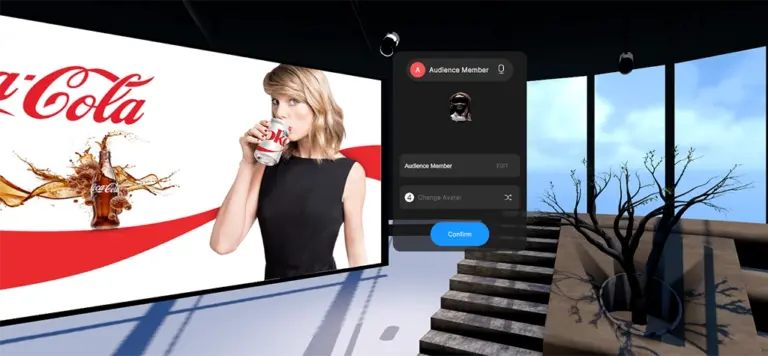
Pick your Avatar

Put on your Meta Quest 2 headset and choose from 8 unique avatars. Set your display name so friends can recognize you.

Step 2.
Co Watching VR

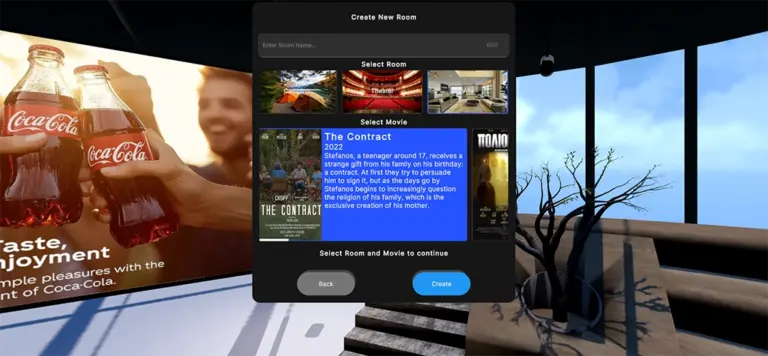
Create or Join a Room

Browse public rooms or create your own. Pick a virtual space, select a movie, and share the Room Code with friends.

Step 3.

Watch Together

Enjoy perfectly synchronized playback, chat with friends via voice, and interact with objects in the virtual environment.

Virtual Rooms

Three unique spaces to enjoy

Each room offers a different atmosphere — choose the perfect setting for your viewing experience.

co watching TV

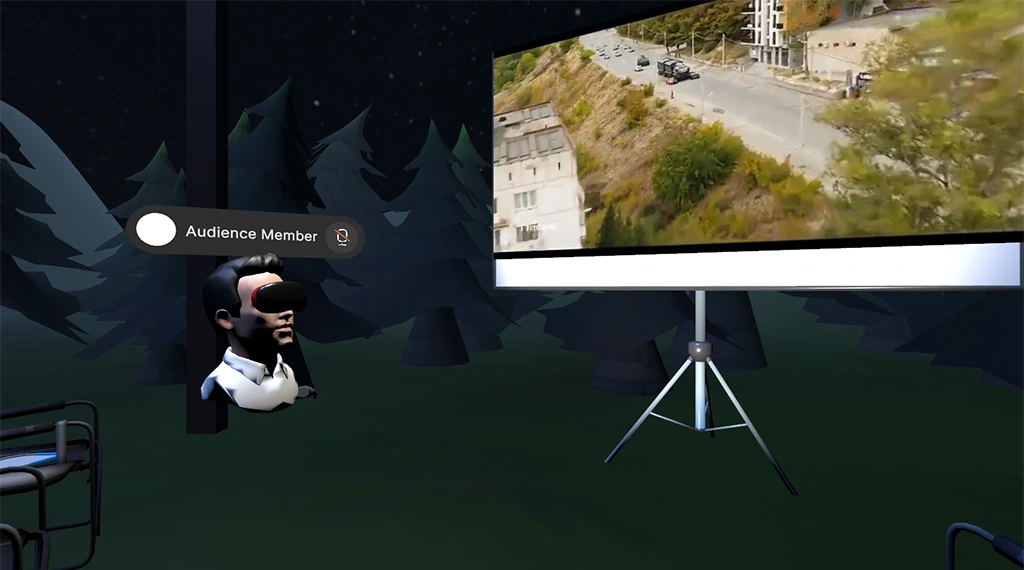
Camping

Outdoor cinema under the stars. Watch movies on a projection screen surrounded by nature, campfire, and bowling lanes.
co watching TV

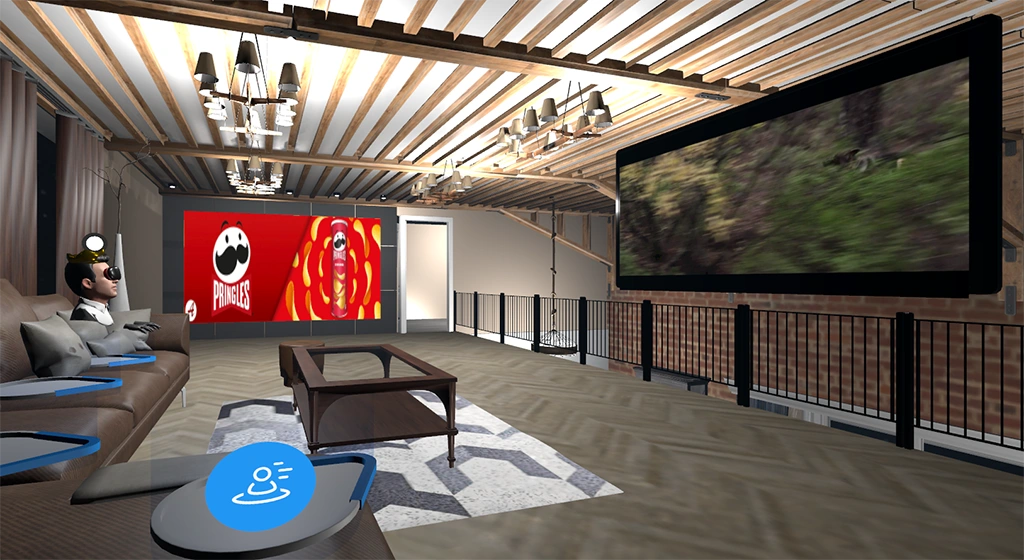
Loft

Premium living room experience with comfortable sofas, ambient lighting, and a widescreen home cinema setup.
co watching TV

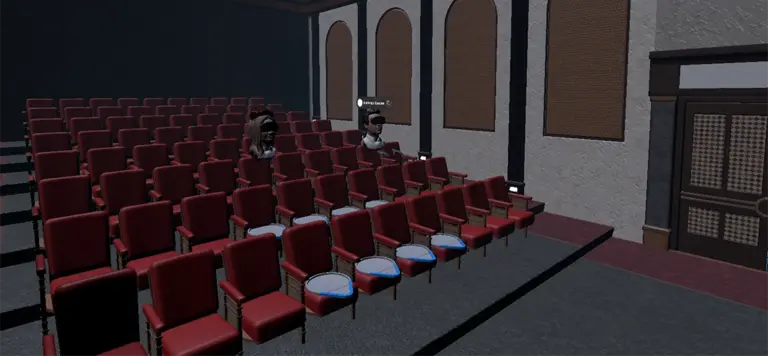
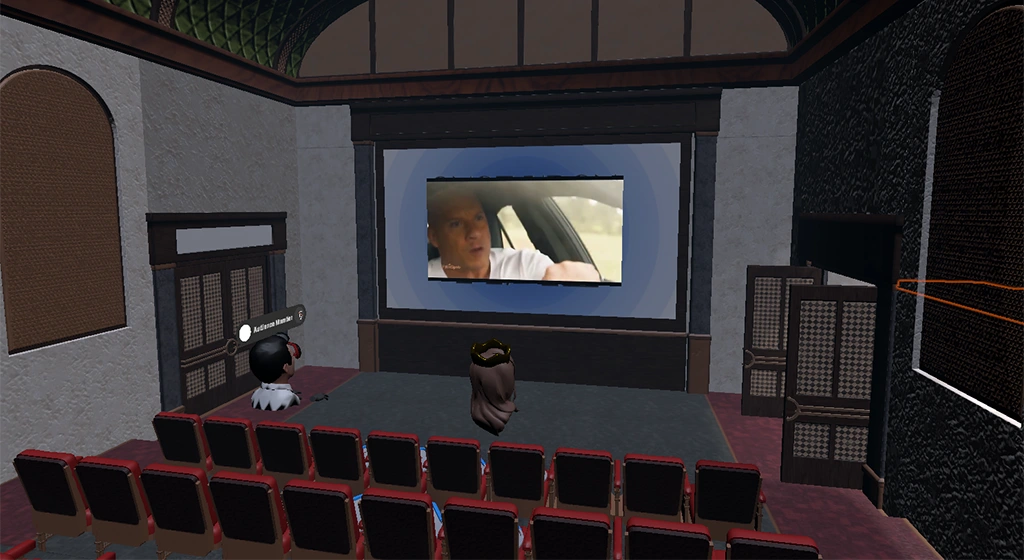
Cinema

Classic movie theater with rows of seats, a massive screen, and the authentic feel of going to the movies.

Our Technology

Built with cutting-edge tech

A robust architecture combining the best tools for VR, networking, and content delivery.

Unity​

3D Engine

OpenXR

VR Framework

Quest 2

Target Device

ASP.NET

Backend API

PostgreSQL

Database

Redis

Real-time Cache

Platform Features

Everything you need for social VR viewing

A complete multiplayer experience built from the ground up for shared entertainment in virtual reality.

Synchronized Playback

Play, pause, and seek — every action syncs across all viewers in real-time for a truly shared experience.

Voice Chat (VoIP)

Talk to your friends during the movie with built-in low-latency voice communication and mute indicators.

Interactive Games

Take a break from the movie with fun in-room activities like VR bowling with realistic physics.

Custom Avatars

Choose from 8 unique avatars to represent yourself. Display names and visual identity in the virtual space.

Room Codes

Create private sessions with unique Room Codes. Share with friends for instant access to your viewing party.

Host Migration

If the host disconnects, another viewer seamlessly takes over — no interruption, no lost progress.

Adaptive Streaming

Content streams at the best quality your connection allows, powered by adaptive bitrate technology.

Teleport Navigation

Move freely through the virtual space with teleport — the most comfortable VR locomotion method.

About the project

COWATCHING VR

COWATCHING VR is a research and development project that brings social television viewing into the era of virtual reality. Developed by Blue Avatars M.I.K.E., the platform enables multiple users to watch TV content together in shared virtual environments, communicating in real-time through voice and interacting with their surroundings.

The project was co-funded by the European Union and Greece through the Operational Programme “Competitiveness, Entrepreneurship & Innovation” (ΕΣΠΑ 2014–2020), under the action “RESEARCH – CREATE – INNOVATE” (project code: Τ2ΕΔΚ-02634).

The platform consists of a VR client application (Unity/OpenXR for Meta Quest 2), a cloud-based backend (ASP.NET Core, PostgreSQL, Redis), a content management system (CMS) with integrated ad serving (VAST), and adaptive video streaming infrastructure.

ΕΣΠΑ Ελλάδα 2.0

Co-funded by the European Union and Greece through the Operational Programme "Competitiveness, Entrepreneurship & Innovation" under the NSRF 2014–2020.
Get in Touch

Contact Us

Interested in COWATCHING VR?
Whether you’re a content provider, broadcaster, or potential partner — we’d love to hear from you.

Co Watching VR favicon
Scroll to Top